

Public Cloud
How to Monitor Cloud Costs and Set Budget Alerts in VEXXHOST Public Cloud
Learn how to monitor cloud spending, forecast costs, and configure budget alerts in VEXXHOST Public Cloud using APIs and CLI tools.
Read field noteField notes / Latest
Engineering notes from operating open infrastructure: the failures, design decisions, and upstream work that make open infrastructure better.
Browse all field notesLearn how to monitor cloud spending, forecast costs, and configure budget alerts in VEXXHOST Public Cloud using APIs and CLI tools.
Read field note
Compare shared Kubernetes, tenant namespaces, dedicated clusters, and VMs for SaaS infrastructure. Learn how isolation, costs, and operations shape your choice.
Read field note
Learn why backups alone don't guarantee recovery and how RTO, RPO, infrastructure dependencies, and recovery testing improve disaster readiness.
Read field note
Evaluate OpenStack as a VMware alternative, including networking, storage, hardware reuse, migration methods, downtime, workload waves, and Day 2 operations.
Organizations searching for a VMware alternative are often asking the wrong first question.
The question is usually framed as: What platform can replace VMware?
But replacing VMware is not simply a matter of choosing another hypervisor. A VMware environment may include compute virtualization, virtual networking, storage, identity, availability policies, automation, backup integrations, monitoring, Kubernetes integrations, and years of operational processes built around vSphere.
Moving away from that environment means deciding how each of those functions will work on the next platform.
OpenStack is one option for organizations that want to move from proprietary virtualization toward an open cloud operating model. It can provide compute, networking, storage, identity, APIs, automation, and workload orchestration across dedicated infrastructure.
The more useful question is:
What parts of our current VMware operating model need to be replaced, redesigned, or retained during the transition?
That is the starting point for a practical VMware-to-OpenStack migration.
For a small virtualization environment, replacing VMware might primarily mean finding another place to run virtual machines.
At larger scale, the problem is broader.
A VMware estate may depend on vCenter, NSX, SAN or vSAN storage, identity, backup tooling, monitoring, automation, Kubernetes integrations, and established operational procedures. A replacement strategy therefore needs to evaluate the full infrastructure operating model rather than compare hypervisors feature by feature.
OpenStack distributes these responsibilities across cloud services for compute, networking, storage, identity, and resource placement, exposing them through APIs and automation rather than recreating the vSphere operating model.
The goal is not to reproduce VMware exactly, but to design a target environment around the workloads and operational requirements the organization actually has.
For teams evaluating the target architecture in more detail, an OpenStack private cloud can provide dedicated compute, networking, storage, identity, and automation while allowing the organization to choose how much of the platform it operates directly.
The important distinction is not simply that OpenStack uses different components.
VMware environments are often organized around virtualization administration, while OpenStack is designed around cloud services, APIs, project boundaries, quotas, automation, and programmable infrastructure.
That changes how teams approach:
A process built around manually creating or modifying a VM through vCenter, for example, may become an API, Terraform, or other infrastructure-as-code workflow. Resource pools and placement policies may also need to be reconsidered around projects, quotas, flavors, host aggregates, and availability zones.
The migration is therefore partly a workload move and partly an operating-model migration.
Compute is often the easiest part of a VMware migration to understand. Networking and storage usually require more architectural work.
A VMware environment may rely on distributed virtual switches, VLANs, NSX, firewall policies, load balancers, and application-specific network assumptions. In OpenStack, networking is typically managed through Neutron, often with technologies such as OVN providing software-defined networking.
The target design needs to account for network segments, routing, IP addressing, security policies, external connectivity, load balancing, and traffic patterns. Security controls also need translation rather than one-to-one duplication.
Storage requires the same attention. VMware workloads may consume SAN, NAS, local storage, or vSAN, while OpenStack commonly exposes persistent block storage through Cinder, often backed by Ceph. The target design should follow workload requirements for performance, latency, availability, backup, and recovery rather than automatically reproducing the old layout.
Potentially, but hardware reuse should be validated rather than assumed.
Existing x86 servers may be suitable for OpenStack, but teams should still validate CPU generation, memory, NIC and driver support, firmware, storage topology, network design, hardware lifecycle, resilience requirements, and expected growth.
A question to think about is:
Does reusing this infrastructure produce the OpenStack architecture we want to operate for the next several years?
Hardware reuse can lower migration costs. Preserving unsuitable infrastructure can also carry technical debt directly into the new platform.
A VMware VM is not simply copied from one platform to another without accounting for differences in disk formats, storage, networking, guest configuration, drivers, boot behavior, and destination metadata.
Migration therefore starts with discovery.
Build an estate inventory covering VM ownership, CPU and memory allocation, disks, networks, IP addresses, operating systems, dependencies, availability requirements, maintenance-window constraints, and application owners.
That inventory becomes the basis for grouping workloads by risk and organizing migration waves.
VEXXHOST's VMware-to-OpenStack migration solution follows this staged approach: assess the estate, establish the OpenStack landing zone, test representative workloads, and move workloads in controlled waves rather than treating the entire environment as one cutover.
Not every workload needs the same migration method.
A cold migration generally means shutting down the source workload before its data is transferred and started on the destination.
This reduces the problem of data changing during migration and can be a straightforward option for workloads with acceptable maintenance windows.
The tradeoff is downtime.
A warm migration reduces the amount of work that must happen during the final outage window.
The bulk of the VM data is copied while the source workload continues running. Additional synchronization cycles transfer changes made after the initial copy. At cutover, the source VM is stopped, remaining changes are synchronized, the destination is validated, and the workload is started on OpenStack.
VEXXHOST's open-source MigrateKit supports this model with incremental synchronization and controlled cutover for VMware-to-OpenStack migrations.
Warm migration should not be interpreted as a guarantee of zero downtime. The final cutover window depends on factors such as workload behavior, change rate, storage performance, network capacity, guest configuration, application startup time, and validation requirements.
Representative migrations should therefore be rehearsed before critical production waves begin.
The first migration workload should probably not be the organization's most critical database.
Early waves should prove the process with workloads that have clear owners, limited dependencies, straightforward networking, acceptable maintenance windows, and testable success criteria.
The goal is not simply to move easy VMs. It is to validate the migration process end to end: inventory, conversion, synchronization, networking, boot behavior, monitoring, application validation, and rollback.
Once the process is repeatable, more complex workloads can follow.
Not everything needs to move immediately. Some applications may depend on VMware-specific integrations, unsupported operating systems, vendor certifications, specialized hardware, or maintenance windows that make immediate migration impractical.
Keeping those workloads on VMware temporarily can create a useful parallel runway while OpenStack operations are validated and later waves are prepared.
It also helps separate migration from modernization.
A stable VM does not need to become a container merely because the infrastructure platform is changing. Move the workload first when that reduces risk. Refactor or containerize it later when there is a clear application reason to do so.
There is no credible universal answer.
Downtime depends on the migration method and the workload. Disk size, write rate, available bandwidth, synchronization performance, shutdown time, target boot time, network changes, DNS or load-balancer updates, database consistency requirements, and application validation can all affect the final window.
Instead of asking for the lowest possible downtime figure, ask how downtime will be measured before production migration.
Pilot migrations should generate real data about synchronization time, cutover duration, application startup, validation, and rollback. Use those measurements to plan production windows.
A VMware replacement project is not finished when the last VM boots.
The new environment still needs monitoring, incident response, upgrades, security maintenance, capacity management, storage and network operations, backup and recovery, hardware lifecycle planning, and user support.
OpenStack provides substantial infrastructure control, but that control comes with operational responsibility.
Organizations can build that capability internally or choose specialist support or a managed model. VEXXHOST supports customer-operated and fully managed OpenStack private cloud environments, hosted by VEXXHOST or deployed in customer facilities.
The key decision is not only who owns the infrastructure. It is who owns the operational responsibility after migration.
OpenStack is particularly worth evaluating when an organization:
But OpenStack is not automatically the right VMware replacement.
An organization may be better served by another platform if it wants minimal operational change, depends heavily on VMware-specific integrations, prefers an appliance-like virtualization experience, or has little need for API-driven cloud infrastructure.
A relatively small environment may also struggle to justify the operational complexity of a private cloud.
OpenStack makes the strongest case when the organization wants to change more than the logo on its virtualization platform.
Before committing to a migration:
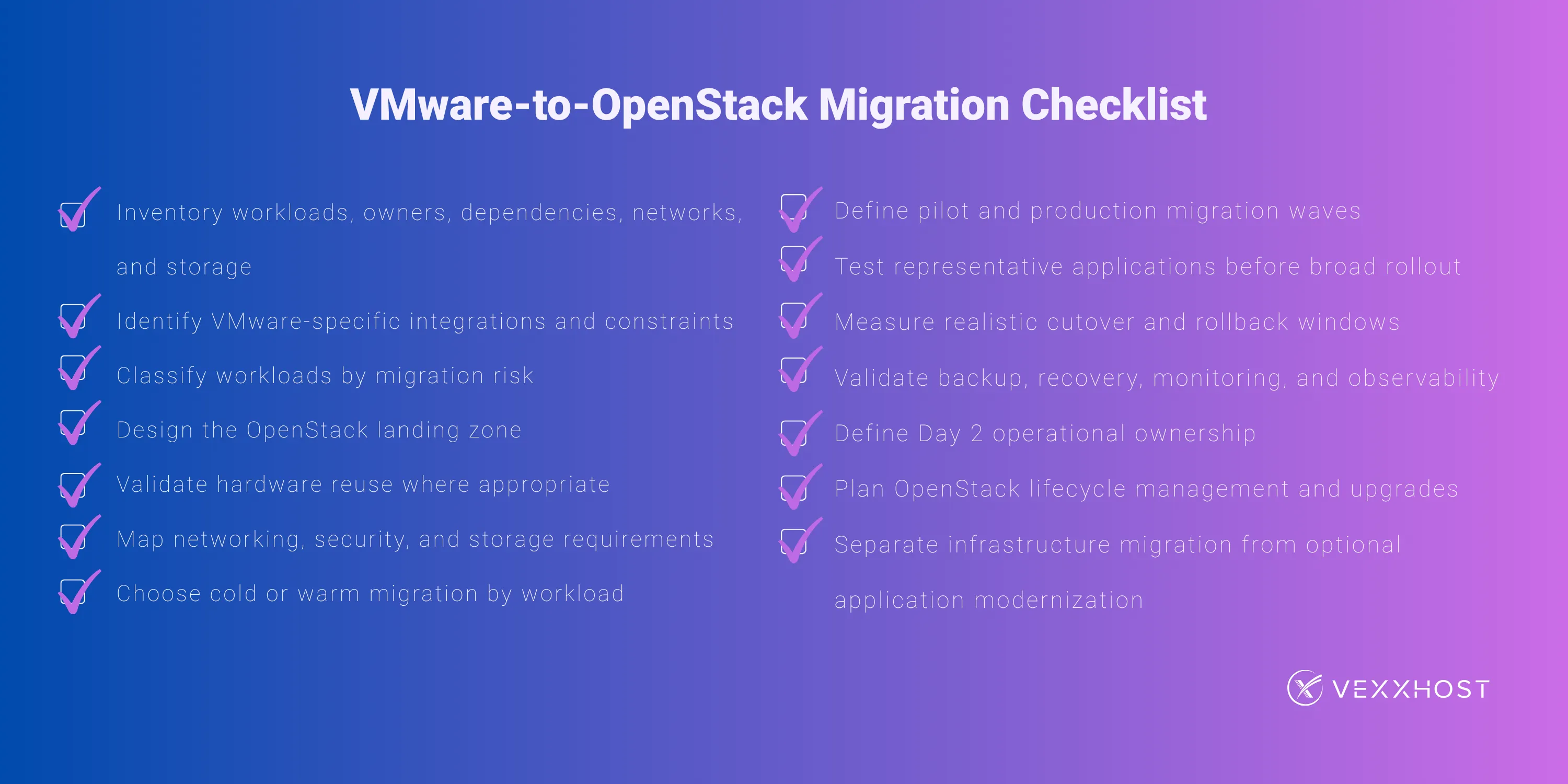
A VMware alternative should not be evaluated only by asking whether it can run the same virtual machines.
The more important questions are which infrastructure capabilities the organization depends on, how those capabilities will work on the destination platform, which processes should be redesigned, and who will operate the environment after migration.
OpenStack can provide an alternative foundation for organizations that want to run virtualized workloads on open infrastructure while adopting a more API-driven cloud operating model.
But a successful VMware-to-OpenStack migration is an infrastructure transition, not a hypervisor swap.
Inventory the estate, design the target environment, test representative workloads, move in controlled waves, keep rollback available, and establish Day 2 operations before production cutovers begin.
For organizations evaluating that path, VEXXHOST's VMware-to-OpenStack migration solution combines migration planning, OpenStack landing-zone design, staged workload moves, MigrateKit-based warm migration, and ongoing operational support. Not sure how to proceed with migration? Contact our team for migration plan discussions!
Choose from Atmosphere Cloud, Hosted, or On-Premise.
Simplify your cloud operations with our intuitive dashboard.
Run it yourself, tap our expert support, or opt for full remote operations.
Leverage Terraform, Ansible or APIs directly powered by OpenStack & Kubernetes