
Sovereign by Architecture: Building AI Infrastructure for the EU AI Act
The EU AI Act takes effect August 2026. Compliance starts at the infrastructure layer. Learn why sovereign AI needs OpenStack, Kubernetes, and Atmosphere.

Insights, updates, and stories from our team
The EU AI Act takes effect August 2026. Compliance starts at the infrastructure layer. Learn why sovereign AI needs OpenStack, Kubernetes, and Atmosphere.
Learn how a lightweight keystoneauth1 plugin brings your existing browser-based MFA and SSO to the OpenStack CLI, with no changes to any client tools.

Hyperscaler AI looks fast but hides long-term lock-in and rising costs. See how OpenStack and Kubernetes deliver GPU infrastructure you actually control.

Our cloud server customers often ask about the best way to run a PHP and MySQL application stack on ...
Our cloud server customers often ask about the best way to run a PHP and MySQL application stack on our cloud servers. There are so many different web servers from the go-to Apache to really high performance customized web servers such as Tornado, which is deployed by large-scale users such as Facebook!
We recommend the combination for nginx, php-fpm and Percona Server with XtraDB (the optimized version of MySQL). We've found that the combination of all three creates a high-performance setup that can take full advantage of your cloud services efficiently. Let's get into a bit of detail about each of them and why we choose them.
nginx, pronounced “Engine X” was written by Igor Sysoev, a Russian system and software engineer. The idea behind it was to create an extremely scalable web server that can solve the C10K problem. The watered-down simple version of the C10K problem is a simple fact that serving files shouldn't require such a huge overhead, this issue is solved by leveraging event-based systems which are implemented into the kernel such as epoll, poll, the Solaris alternative /dev/poll and the FreeBSD/NetBSD/OS X kqueue.
The good thing is that nginx has proven itself since 2004 until now to be the best choice to get the most performance out of your servers. As an example, our friends at CloudFlare run a modified version of nginx over their entire network of 23 data centers all around the world that have served 70 billion page views, each month.
php-fpm is hands down the fastest way of running PHP scripts. It was created by Andrei Nigmatulin. There was no way to run PHP with a FastCGI interface so he took it on himself to start building it. Eventually, the interest caught on as people saw the performance increase and more people started contributing to the project. Initially, it was a set of patches that were applied to the PHP source code and eventually become a module.
However, it's position really solidified when it was merged into the main PHP project core after work by Antony Dovgal and others. It has now become the official FastCGI SAPI for PHP, it's also used by a lot of users from all around the world like WordPress!
Percona is one of the leaders of high-performance MySQL servers. They provide a highly optimized MySQL database server which is capable of giving a huge performance increase. They even have commercial support should you require anything more and have very helpful and supportive community help.
We cannot stress this enough, make sure you are using InnoDB for your databases and not MyISAM. You really, really, really want to be using InnoDB. We will explain this in an upcoming post but let's just say one of the biggest performance reasons is full table locking on changes. If you're inserting or updating a row, your whole table cannot be used until that operation is completed.
In other words, if you're running Facebook and someone is updating their profile, you're going to wait until their update query is complete for your queries to run, which slows down things significantly. This goes to mention that MyISAM still has good, but we'll put all that for a blog post on its own, for now, InnoDB!
These instructions will be specific to CentOS 6 however they are very similar for Debian and Ubuntu, the package names are usually just different and you'll be using apt-get instead of yum.
sed because we'll be using the nginx user to run on instead of apache.nginx webserver and making it run on system boot./etc/nginx/conf.d/default.conf file to connect the nginx server to our php-fpm backend. You can use any editor that you want, you'll update it as the following, the red lines should be removed and the green should be added. Once we've done all those changes, we'll start nginx and we're going to have our entire system setup and ready now.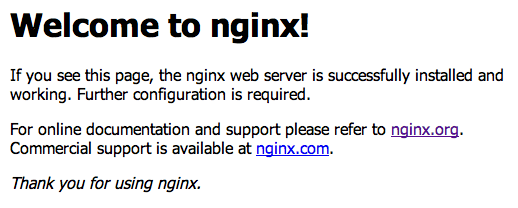
/usr/share/nginx/html/phpinfo.php with the following contents and navigate to it (http://your.ip/phpinfo.php), you should see information about your PHP installation.$SQL_PW with your root password which we created. If you haven't logged out of your session, it should be still there, you can verify this by typing echo $SQL_PW. If it's still there, you don't need to replace it in those commands!You'll see a message showing your WordPress database user password so make sure you note that as well.
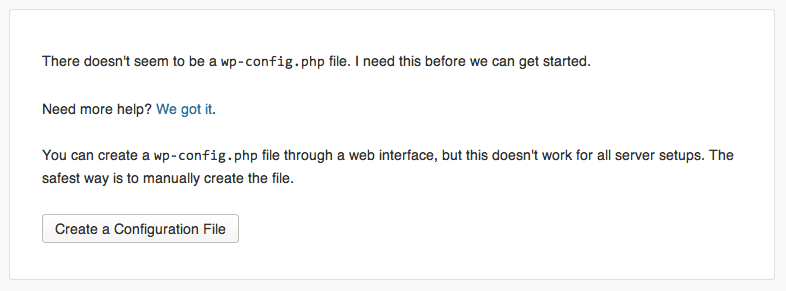
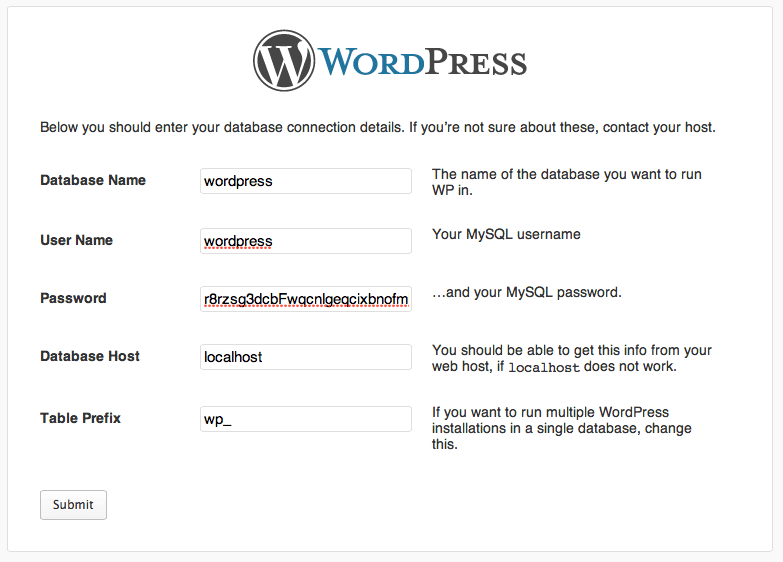
It should go through with no problems, the rest of the installation should be personal website settings, you can set those to whatever you'd like and finish the installation. You can navigate (http://your.ip/wordpress) and check out your brand new installation!
We really think that this setup can get you quite far on a single server, but if your site keeps getting busier and busier, you can add more backend workers, nginx instances or even set up a clustered MySQL backend. The nice thing about this is that all of your technology stacks are ready to scale up and scale-out.
If you're ever looking for a fully deployed custom cluster, we've built multiple clusters which handle very large amounts of traffic for our customers and they are extremely happy with the fast performance we're able to deliver by leveraging our cloud platform, contact us today with your requirements and we'll make them happy.

Choose from Atmosphere Cloud, Hosted, or On-Premise.
Simplify your cloud operations with our intuitive dashboard.
Run it yourself, tap our expert support, or opt for full remote operations.
Leverage Terraform, Ansible or APIs directly powered by OpenStack & Kubernetes